Let's See What is Google Adwords
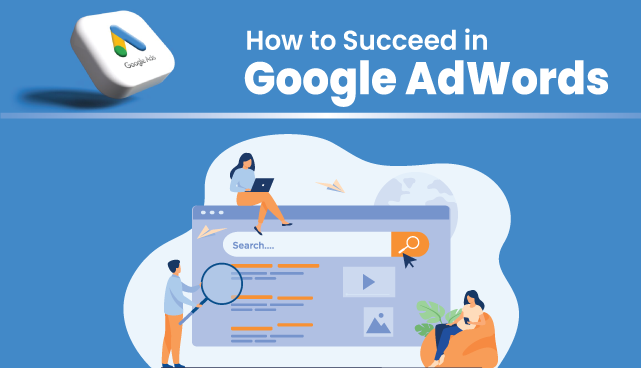
Let's see what is Google AdWords.
The term "Google Ads" refers to an online advertising platform developed by Google that enables businesses and advertisers to display their ads on Google's search engine results pages (SERPs) and various websites within the Google Display Network. On the platform, pay-per-click (PPC) advertising is used, where advertisers compete in bidding on keywords relevant to their needs, companies offer their products or services and pay based on the number of clicks their ads receive.
Google Ads offers different ad formats, including text, display, video, shopping, and app ads. Advertisers can use various factors to target their ads, such as keywords, demographics, interests, and more. The platform provides tools for tracking conversions, measuring ad performance, and optimizing campaigns for better results.
Overall, Google Ads is a powerful tool for businesses to reach their intended audience. In order for them to increase website traffic, they must implement effective marketing strategies and achieve specific marketing objectives by placing their ads in front of users actively searching for relevant products or services.
What Is Google Ads Campaign
A Google Ads campaign is a structured and organized advertising effort within the Google Ads platform to promote products, services, or other offerings to a targeted audience. Google Ads campaigns allow businesses and advertisers to create and manage a set of ads that are displayed across various Google platforms, such as Google Search, YouTube, Google Display Network, and more.
There Are Total 7 Types Of Campaigns Which Are In Google Ads, which are mentioned below.
- Sales: A Google Ads sales campaign is specifically designed to drive sales for a business's products or services. It focuses on creating advertisements and strategies that encourage potential customers to make a purchase, complete a transaction, or take other actions that directly contribute to generating revenue.
- Leads: The objective of a Google Ads leads campaign is to gather contact information of potential clients, such as their phone numbers and email addresses, to compile a list of leads for your company. With the help of this kind of marketing, you can gradually nurture and turn interested people into paying clients by pushing them to do activities that show interest in your goods or services.
- Website Traffic: A Google Ads website traffic campaign aims to increase targeted website traffic. Boosting site traffic can increase engagement, conversions, and even purchases. This kind of marketing aims to do just that.
- Product And Brand Consideration: A Google Ads campaign is a well-planned advertising campaign that targets potential clients still considering their options and wants to promote your brand and products. The campaign's primary goal is to build awareness, interest, and engagement among people actively investigating and weighing options before purchasing.
- Brand Awareness and Reach: A type of advertising initiative designed to increase the visibility and recognition of your brand among a wider audience. The primary objective is to expose your brand to as many people as possible and create a sense of familiarity with your products or services.
- App Promotion: A focused advertising initiative to raise your mobile app's exposure, downloads, and usage. This marketing aims to get people to download and interact with your app online.
- Local store visits and promotions: With the promotion of deals, discounts, and events, your Google Ads campaign seeks to increase foot traffic to your physical shop locations. Businesses with physical storefronts can find this campaign especially helpful.
How To Get Your Advertising Appear In Google Advertising
- Search: One kind of online advertising campaign is a Google ads Search Campaign, which aims to show your adverts to users when they use the Google Search Engine to search particular keywords or phrases.
- Performance Max: A sophisticated form of advertising that optimizes several ad formats across multiple Google networks using automation and machine learning. Its goal is to optimize the performance of your campaign by using Google's algorithms to target the right consumers with your message at the right moment.
- Display: A Showcase where you may promote visual advertisements—such as pictures, videos, and interactive media—across a wide range of platforms and websites that are part of Google Display Network (GDN). A display campaign's main objectives are to make a brand more visible, connect with more people, and engage consumers through eye-catching images.
- Shopping: An advertising campaign that employs visual ads with product images, prices, and other pertinent information to promote your products. These advertisements can be found on Google's search page, displaying search outcomes and additional Google assets.
- Video: A digital advertising strategy aimed at target audiences with video ads on YouTube and other Google platforms. A video campaign aims to draw viewers through captivating visual narrative and video material.
- Discovery: The goal is to display your goods, services, or content to customers when they browse through their customised content feeds on several Google platforms, such as the Google Discover feed, YouTube Home feed, and Gmail Promotions tab.
How To Set Up Google Ads Campaign
- Choose Your Campaign Goal: Google Ads offers different campaign goals, such as website traffic, sales, leads, brand awareness, etc. Choose the goal that aligns with your business objectives.
- Create a Campaign: Click on the "+ Campaign" button to create a new campaign. Select the campaign type corresponding to your chosen goal.
- Campaign Settings: Name your campaign and choose appropriate settings, including subtype, budget, bid strategy, start and end dates, and targeting options.
- Select Campaign Network: Choose where you want your ads to appear. For example, choose "Google Search Network" for Search campaigns or "Google Display Network" for Display campaigns.
- Define Targeting: Set your targeting parameters, such as location (geographic Targeting), language, device type, and audience demographics.
- Ad Group Creation: Create ad groups to organize your ads and target specific themes or products. Choose relevant keywords and ad formats for each ad group.
- Ad Creation: Create compelling ad content, including headlines, descriptions, URLs, and visual elements. Ensure your ad content aligns with the keywords and themes of your ad groups.
- Set Bids and Budget: Set your bids based on your chosen bid strategy (manual CPC, automated bidding, etc.). Define your budget to control spending.
- Ad Extensions: Enhance your ads by adding extensions, such as site link extensions, callout extensions, and structured snippet extensions.
- Review and Launch: Review your settings, ad groups, and ads to ensure everything is accurate and aligned with your goals. Click "Save" or "Launch" to start.
- Monitor and Optimize: After your campaign is live, closely monitor its performance using Google Ads' reporting tools. Analyze metrics and make adjustments as needed to optimize your campaign for better results.