Custom Software vs SaaS: When Existing Tools Stop Working Together
Quick answer: Choose SaaS when a proven product handles a standard business function without costly workarounds. Choose custom software when a critical workflow depends on rules, data, or integrations that available products cannot support reliably. If the individual tools work but their handoffs fail, a hybrid approach—keeping SaaS and building only the connecting workflow—may be the more practical answer.
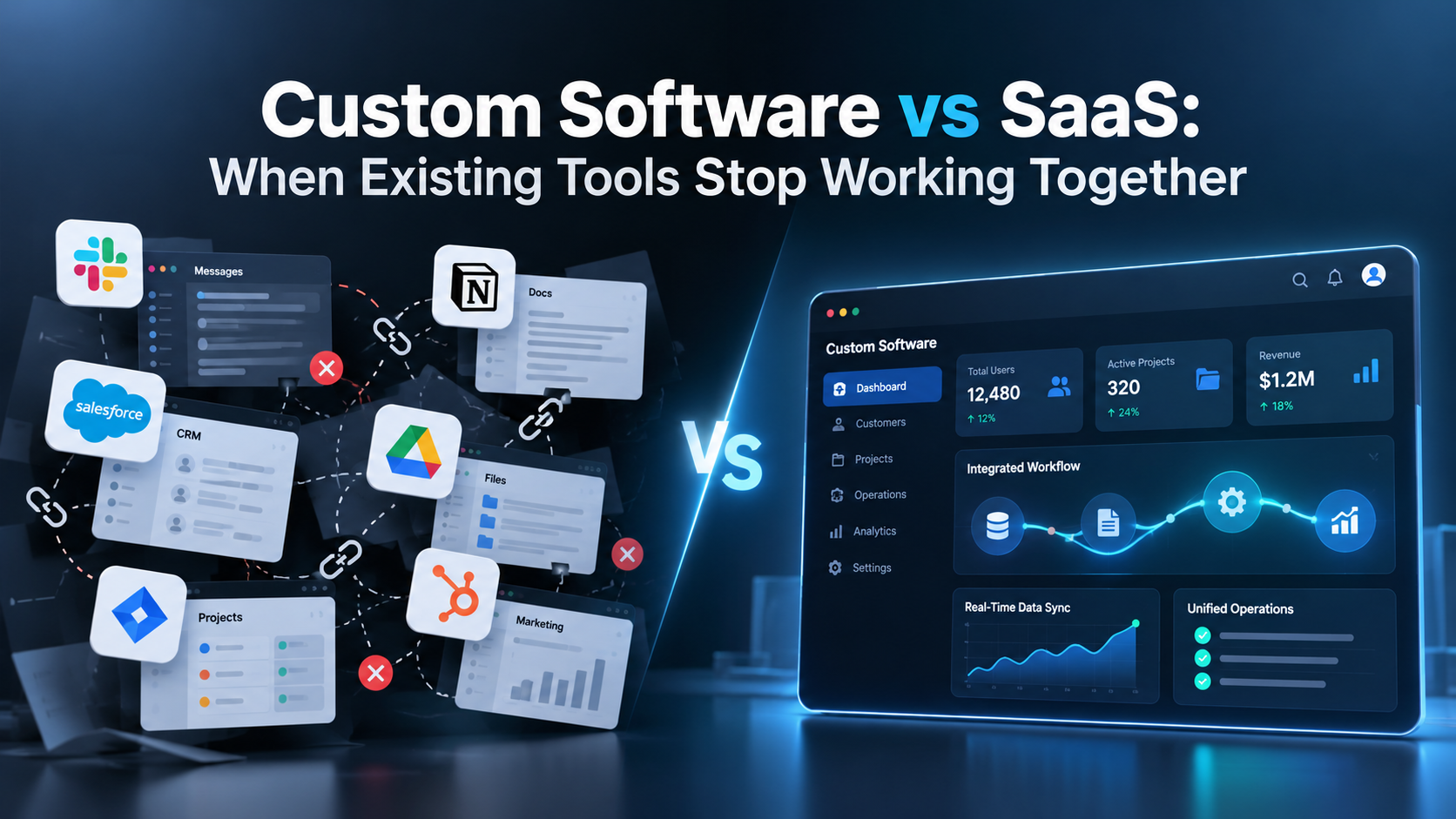
A growing company might use a CRM for sales, an inventory system for stock, accounting software for invoices, and a separate platform for deliveries. Each tool works. Yet staff still copy order details, reconcile conflicting statuses, and chase colleagues to find out what happened next.
That does not automatically justify replacing everything. The first question is whether the business has a software problem, an integration problem, or an unclear process.
Why Good SaaS Tools Can Still Create a Broken Workflow
Software as a Service (SaaS) gives businesses vendor-hosted applications, usually through subscriptions. The provider manages much of the infrastructure and maintenance. That makes SaaS valuable for standard functions such as email, payroll, and basic accounting.
Problems often appear between applications. An order is approved in one system but pending in another. A changed customer address never reaches dispatch. Finance exports spreadsheets because no report matches its records.
IBM's guide to SaaS integration explains how APIs and integration platforms connect applications. But integrating tools creates its own performance, security, and maintenance responsibilities.
Watch for these signals:
Repeated entry: Staff retype customer, product, or order information.
Invisible exceptions: Sync failures delay work without reaching an accountable person.
Conflicting answers: Departments see different versions of the same transaction.
The number of tools matters less than the cost and risk of their handoffs.
SaaS vs Custom Software vs Hybrid: Which Option Fits?
The choice is not simply to buy everything or build everything. Compare three approaches.
Approach | Best suited to | Main trade-off |
|---|---|---|
Configure SaaS | Standard processes with acceptable built-in features | Less control over unusual workflows and vendor changes |
Add an integration layer | Good tools that fail to exchange data or coordinate steps | Connectors and business rules need maintenance |
Build custom software | Critical workflows existing products cannot support | Greater delivery, security, and operating responsibility |
A hybrid solution might be an internal portal that brings together order statuses, applies company-specific approvals, and shows employees what needs attention. The CRM, accounting, and delivery tools remain in place.
This avoids rebuilding functions a specialist SaaS vendor already handles. But the integration layer must be tested, monitored, and owned; connecting systems does not remove the need for technical accountability.
Before commissioning custom integration development, businesses should check whether the existing applications provide reliable native integrations or supported integration-platform options. Custom development becomes more relevant when those capabilities cannot handle the required workflow, business rules or failure conditions.
An Example: The Order That Disappeared Between Departments
Consider a hypothetical wholesale distributor. Sales records orders in a CRM, stock lives in inventory software, finance approves credit, and dispatch uses a delivery platform.
Standard orders move through. Exceptions cause trouble.
A retailer changes an approved quantity. Inventory has reserved the original amount, finance sees an outdated value, and dispatch receives an order that should be held. Sales reconstructs the transaction from messages and spreadsheets.
Buying another CRM would not necessarily help. The missing capability is an agreed rule for what happens when an approved order changes.
First test whether current systems support revised approvals, status updates, and notifications. If not, a focused custom workflow could coordinate exceptions while keeping the existing specialist applications.
Measure success through accurate orders, faster exception handling, and less manual reconciliation, not the number of screens developed.
Run a Handoff Audit Before You Request a Custom Build
Choose one recurring problem: order to invoice, lead to service delivery, purchasing approval, or support ticket to resolution.
Follow one transaction end to end. Record each system, approval, manual copy, and handoff. Include an amended or failed transaction.
Identify the source of truth. Which application owns the customer address, inventory count, invoice amount, and delivery status? Avoid competing authorities.
Find the break point. Is the cause missing data, mismatched fields, delayed updates, vendor restrictions, or unclear human approval?
Check existing capabilities. Test available APIs, webhooks, data exports, permission controls, usage limits, and support. A listed connector may not handle your specific exception.
Measure the damage. Track reconciliation time, delayed work, corrections, and customer escalations. Separate measured costs from assumptions.
The result is a requirements document based on real work rather than a wishlist of features.
Four Questions to Ask Every Software Vendor
Before accepting a sales demonstration, ask the vendor to prove your most troublesome exception using representative, non-sensitive data.
Can the workflow change midway? Test an amended order, rejected approval, or cancelled booking.
What happens during an outage? Show the error alert, recovery process, and the person responsible.
Will retries create duplicates? Demonstrate that a repeated event does not trigger the same business action twice.
Can we leave later? Confirm data export formats, access rights, and the effort required to move integrations elsewhere.
Ask for written answers, not only a polished demo. If a standard tool passes these tests, a full custom rebuild may solve a problem you no longer have.
When Does Custom Software Justify Its Investment?
Custom development deserves consideration when important problems remain after testing configuration and integration.
The workflow differentiates the business. Unusual pricing, approvals, dispatch, or service rules may shape customer value. Forcing them into a generic template can weaken the operation.
Critical exceptions remain unsafe. Standard transactions work, but reversals, partial deliveries, or amended approvals need rules existing tools cannot support reliably.
Integration limits are structural. Required events are unavailable, legacy systems lack workable APIs, or vendor limits obstruct the necessary data flow.
Someone can own the software. Custom systems require an accountable owner, testing, documentation, security reviews, technical support, and post-launch changes. Without that capacity, a business may exchange subscription friction for technical debt.
Thoughtworks' build-versus-buy framework distinguishes commodity capabilities from business differentiators. Make that distinction at the workflow level, rather than declaring an entire CRM or ERP either standard or unique.
Compare Three-Year Cost, Not Just Subscription vs Development Price
Monthly subscription fees and one-time development quotes are not directly comparable. Estimate three-year total cost of ownership using identical business requirements and expected volumes.
For SaaS, count subscription growth, paid modules, setup, training, middleware, integrations, and employees' time spent on workarounds.
For custom software, count discovery, development, hosting, licenses, testing, security reviews, ongoing maintenance, and the team operating it.
For a hybrid, include existing subscriptions plus integration development, monitoring, upgrades, and upstream API changes.
Consider downtime, vendor exit costs, and time to value. SaaS may deliver sooner; custom software may provide greater control but demands continued investment. Neither is automatically cheaper over three years.
Reliable Connections Need More Than an API Key
An integration may pass a demo but fail when messages arrive late, twice, or incomplete. Ask how errors are detected and corrected.
Microsoft's API guidance discusses idempotency: safely handling repeated requests without repeating unintended effects. That matters when a retried order submission could create duplicate records.
Who can update data? Where are errors logged? Can a failed transaction be replayed? What happens when a vendor changes its API?
Require appropriate authentication, least-privilege access, backups, monitoring, and security reviews. The NIST Secure Software Development Framework offers a useful basis for discussing secure development responsibilities with providers.
A Sensible First Project: Fix One Broken Handoff
Before replacing several platforms, test the smallest change that addresses one measured problem.
Choose the two systems involved in the most costly handoff. Document required state changes, exception cases, and ownership. Test the proposed connection with realistic data, including failures and corrections.
If the connection works reliably and the SaaS tools remain suitable, extend it. If an essential rule cannot be supported, scope a custom module around that rule instead of recreating every feature.
Define acceptance criteria before development: accurate records, traceable approvals, recoverable errors, and an assigned support owner.
Frequently Asked Questions
Is custom software always better than SaaS for growing companies?
No. Size alone is not decisive. SaaS suits common workflows with acceptable integrations and lifetime costs. Custom development fits consequential requirements existing tools cannot support reliably.
Can SaaS applications work together without custom software?
Yes. Native integrations, APIs, and integration-platform-as-a-service (iPaaS) products can connect them. Test actual fields, triggers, exceptions, usage limits, and support responsibilities first.
What is the difference between custom integration and custom software?
An integration exchanges data and coordinates existing applications. A custom application owns more of the experience and business rules. Many businesses need only a focused integration.
What should I prepare before hiring a developer?
Bring one workflow map, affected systems, example failures, available API documentation, data permissions, measurable goals, and a decision-maker who can approve process changes.
Connect the Process Before You Replace the Platform
Disconnected tools do not always mean the software stack has failed. Better configuration, supported integrations, or clearer ownership may solve the problem. Other workflows genuinely require custom development.
Technobits Digital's custom software services include business applications, enterprise portals, and API integrations. If repeated data entry or unreliable handoffs affect your operations, discuss the workflow before commissioning a replacement platform. A useful discovery conversation should establish whether to configure, connect, or build.