Already Have an Android App? What to Budget Before Building the iOS Version
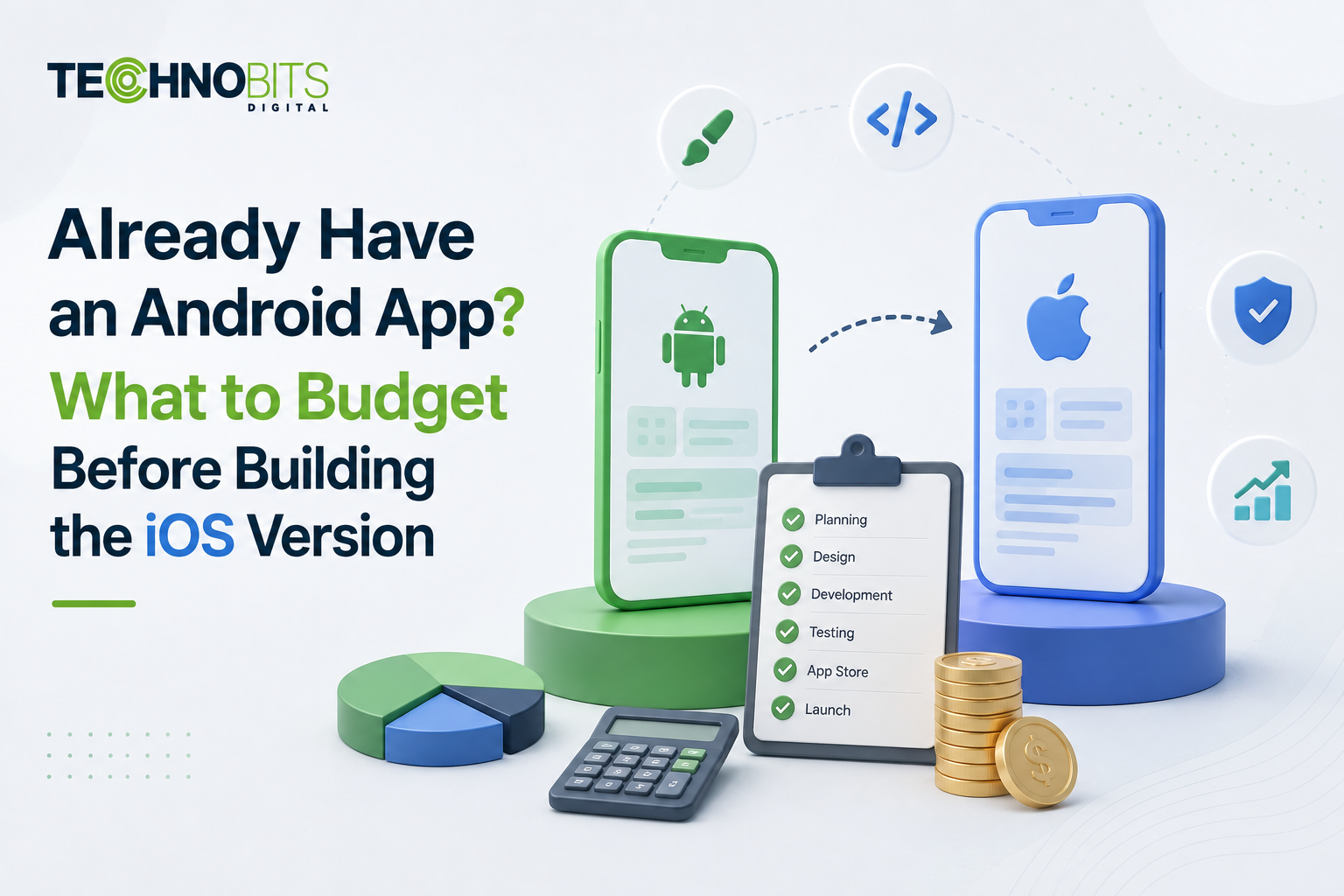
An Android development estimate cannot reliably answer what an iPhone product will cost. The platforms may share business rules, APIs and visual concepts, but iOS introduces its own interface conventions, device behaviours, privacy controls, signing process, App Store review work and testing matrix. A credible estimate of iOS App Development cost and requirements must therefore price the complete delivery system: product discovery, iPhone and iPad scope, application architecture, backend integration, design adaptation, quality assurance, security, release preparation and continuing maintenance.
For a business owner, the key question is not whether iOS is inherently more or less expensive than Android. It is how much functionality can genuinely be reused and which parts require platform-specific engineering. A shared API may reduce duplication, while Apple Pay, Sign in with Apple, HealthKit, background processing, subscriptions or sophisticated offline behaviour can create separate implementation and practices work. You need a feature-level estimate tied to user journeys and technical dependencies—not a percentage added to an existing Android budget.
Still scoping the build?Start a Project to talk through the requirement.
Why an Android Estimate Cannot Be Reused as an iOS Delivery Budget
An Android quote reflects decisions made for Android devices, SDKs, deployment practices and interface components. Even where the visible screens appear equivalent, implementation details differ. Android developers commonly work with Kotlin, Jetpack Compose and Google platform services; native iOS delivery usually involves Swift, SwiftUI or UIKit and Apple frameworks. Navigation, permission prompts, notifications, secure storage, background execution and lifecycle management do not map perfectly between them. Reusing screenshots and feature names without analysing these behaviours produces an estimate that describes visual similarity rather than engineering equivalence.
Device coverage also changes the testing model. Android planning often accounts for numerous manufacturers, screen configurations and operating-system customisations. Apple controls a narrower hardware ecosystem, but that does not eliminate compatibility work. The product may need to support several iPhone sizes, iPad layouts, different iOS versions, accessibility settings, dark mode, camera configurations and varying network conditions. If tablets, widgets, Apple Watch functions, CarPlay or device rotation enter the scope, they should be estimated as explicit experiences rather than treated as automatic consequences of building an iPhone application.
The release path carries separate operational requirements. Your organisation needs control of its Apple developer account, signing certificates, provisioning, bundle identifiers, App Store Connect records and privacy disclosures. TestFlight distribution, review feedback and production release coordination also consume delivery effort. An existing Android App Development workflow may provide useful product evidence, but its Google Play configuration does not transfer to Apple’s environment. Ownership should remain with the business wherever possible so that access, signing and future supplier transitions do not depend on an individual developer’s account.
Budget area | What may transfer from Android | What requires iOS-specific plans |
|---|---|---|
Product scope | User stories, business rules and prioritised journeys | Apple-specific behaviours and acceptance criteria |
Backend | Stable APIs, data models and authentication services | Push notification setup, tokens and platform integrations |
Interface | Brand assets and information architecture | SwiftUI or UIKit components, gestures and adaptive layouts |
Testing | Business-rule and API test scenarios | iOS versions, Apple hardware and release-build validation |
Publishing | Descriptions and general marketing material | Signing, TestFlight, privacy declarations and App Store review |
Define iPhone Requirements Before Comparing Development Options
Begin with user journeys rather than a copied list of Android screens. A journey such as “customer purchases a subscription and restores it on a replacement device” exposes identity, entitlement, receipt validation, backend and App Store requirements that a screen count misses. Each journey should state the supported user, entry point, expected outcome, failure behaviour and relevant external systems. Classify features as mandatory for launch, suitable for a later release or optional pending evidence. This prevents desirable additions such as widgets or advanced personalisation from silently entering the initial estimate.
Next, define non-functional requirements. These influence architecture and testing even when users cannot see them directly. Specify supported iOS versions, expected data sensitivity, authentication controls, accessibility expectations, offline operation, localisation, analytics, crash reporting, performance constraints and recovery behaviour. If the application serves regulated workflows or handles personal information, document data retention, deletion and consent responsibilities. A separate IT security audit may be appropriate where mobile access exposes high-value accounts, administrative functions or sensitive integrations.
Finally, establish what already exists. An operational Android application does not necessarily mean its backend is ready for another client. APIs may contain assumptions about Android identifiers, Google authentication, Firebase messaging or purchase records. Review endpoint documentation, versioning, rate limits, error contracts, observability and test environments before estimating the iOS client. Where mobile, web, customer records and operational platforms must exchange data, System Integration Services can address the interfaces and ownership boundaries that sit outside the application code.
Map launch journeys: identify customer, staff and administrator actions that must work on iOS.
Record platform dependencies: include payments, maps, notifications, identity, camera, files and third-party SDKs.
Set compatibility boundaries: name the supported iPhone, iPad and iOS combinations.
Inspect backend readiness: validate API contracts, environments, security controls and monitoring.
Define release evidence: agree which tests, privacy records and approvals are required before submission.
Choose Native, Cross-Platform or Shared-Backend Architecture by Product Risk
Native iOS App Development is often suitable when the experience depends heavily on Apple frameworks, demanding device interactions, refined platform conventions or long-term access to new iOS capabilities. Swift-based delivery gives engineers direct access to Apple APIs and usually makes platform-specific debugging clearer. The trade-off is that an Android version retains its own user-interface codebase and specialist skills. That duplication can be justified when mobile experience is central to the product or when platform divergence is expected rather than accidental.
A cross-platform framework can share parts of the interface and application logic across iOS and Android. This may support a smaller team and more coordinated feature releases, particularly for forms, catalogues, account management and content-led applications. It does not remove native work. Notifications, purchases, deep links, background tasks, accessibility details and third-party SDK compatibility may still require platform-specific modules. If an established Android application is already native, adopting a cross-platform approach for iOS could also mean rebuilding Android before any sharing benefit appears, which materially changes the business case.
A practical middle path is to share backend services, domain rules and design tokens while keeping native clients. This preserves platform-appropriate interfaces but avoids duplicating identity, entitlement, plans and operational logic. Broader AI Mobile Apps planning can examine whether native, cross-platform or hybrid delivery suits the product portfolio rather than selecting a framework from headline cost alone. For businesses with web portals, internal systems and multiple mobile clients, Intelligent Software architecture can also clarify where business logic should live and how each channel consumes it.
Prefer native delivery when Apple-specific capability, interface precision or complex device behaviour drives product value.
Evaluate cross-platform delivery when feature parity is high and most workflows use conventional interface patterns.
Share services rather than screens when the platforms need distinct experiences but operate against common business rules.
Avoid framework decisions based only on initial build price because upgrades, plugins, debugging and specialist availability affect continuing cost.
Price AI-Assisted Engineering, Testing and App Store Release as Controlled Workflows
AI-accelerated delivery can assist with code scaffolding, test-case suggestions, documentation, interface variants and analysis of repetitive implementation tasks. It may reduce effort in suitable areas, but generated output still needs engineering review for architecture, privacy, licensing, correctness and maintainability. A budget should not assume that every task becomes faster merely because an AI coding assistant is available. Complex concurrency, payment logic, authentication and lifecycle defects can remain difficult to identify, while plausible generated code may use outdated APIs or mishandle edge cases.
Full-stack expertise matters because many apparent iOS defects originate outside the iPhone codebase. A failed login may result from token expiry, API gateway rules or identity-provider configuration. Missing notifications can involve Apple Push Notification service credentials, backend device-token handling or environment mismatches. Subscription failures may span StoreKit, server-side validation and account entitlements. Estimating only Swift development leaves these dependencies unowned. The delivery plan should assign responsibility across mobile engineering, API development, infrastructure, security, data handling and operational monitoring.
Testing needs its own budget and acceptance model. Unit tests can validate domain rules; integration tests can examine APIs, storage and platform services; interface automation can cover stable high-value flows. Manual exploratory testing remains important for permissions, interruptions, gestures, accessibility, installation states and real-device behaviour. Independent Quality Assurance helps separate “the feature was implemented” from “the release satisfies agreed conditions”. TestFlight feedback should be triaged against defined severity levels instead of allowing every preference to become an unplanned launch requirement.
Release planning should also account for Apple's current privacy-manifest and third-party SDK requirements where applicable. Teams should verify that included SDKs, declared data practices and required-reason API usage meet the submission requirements for the specific application. App Review may identify an implementation or policy issue that requires clarification or change, so commercial planning should include a controlled response process without assuming a particular review outcome. For distributed delivery teams, decision rights, account ownership, handover procedures and escalation responsibilities should be documented before release.
Separate Initial Build Cost From Ownership, Maintenance and Product Change
The initial estimate should distinguish discovery, design, engineering, integration, testing and release preparation. A single blended figure makes it difficult to understand what happens when scope changes. Feature-level assumptions let you see whether removing iPad support affects layout and testing work, whether an existing API reduces backend effort, or whether offline synchronisation introduces conflict-resolution logic. Contingency should relate to identified uncertainty—such as undocumented legacy services or an unproven SDK—rather than being used to conceal an incomplete scope.
Continuing ownership includes iOS updates, dependency maintenance, certificate management, security remediation, device testing, analytics review and support for backend changes. Third-party services may have their own usage charges and commercial terms. Store policies and SDK requirements can also change after launch. Budget owners should decide who monitors these dependencies, how vulnerabilities are triaged and when an operating-system update triggers regression testing. Maintenance is not the same as feature development; separating the two improves prioritisation and makes operational obligations visible.
Commercial approval should be tied to evidence. Before funding the complete build, you can validate uncertain integrations with a technical spike, test critical journeys through a prototype and inspect the existing backend. Before launch, require evidence for acceptance tests, production configuration, account ownership, observability and support readiness. This staged approach does not remove uncertainty, but it makes major assumptions inspectable before they consume the full budget. It also gives founders and CTOs a clearer basis for comparing suppliers whose headline prices may include very different scopes.
Questions Business Owners Ask Before Approving an iOS Estimate
Can the Android backend be reused without modification?
It can be reused if its APIs are platform-neutral, documented, secured and capable of supporting iOS identity, notification and purchasing workflows. Reuse should be confirmed through technical review rather than assumed. Android-specific device identifiers, Google services, fixed client versions or undocumented error handling may require changes. The estimate should show existing endpoints that remain unchanged, extensions needed for iOS and any infrastructure or data-migration work.
Does cross-platform development always cost less than separate native applications?
No. Cross-platform delivery can reduce duplicated interface and application logic when both platforms begin together and require similar behaviour. Savings may narrow when native plugins, advanced device features, performance tuning or platform-specific designs are required. For an established native Android product, migration costs also matter. Compare options over expected maintenance and feature evolution, not only the first iOS release.
What should be fixed before requesting a development quotation?
Define launch journeys, supported devices, integrations, data sensitivity, account ownership and release acceptance criteria. Provide access to API documentation, designs, analytics requirements and existing source-code information where available. You do not need every screen finalised, but unresolved decisions should be listed as assumptions or discovery tasks. A supplier can then price known work separately from technical uncertainty instead of embedding both in an opaque estimate.
Planning an iOS or Mobile App?
Before committing to development, define the required user journeys, supported devices, integrations, backend dependencies, security requirements and release scope.
Technobits Digital can help assess whether native iOS, cross-platform development or integration with an existing system is appropriate for your requirements.